Android App Permissions Explained
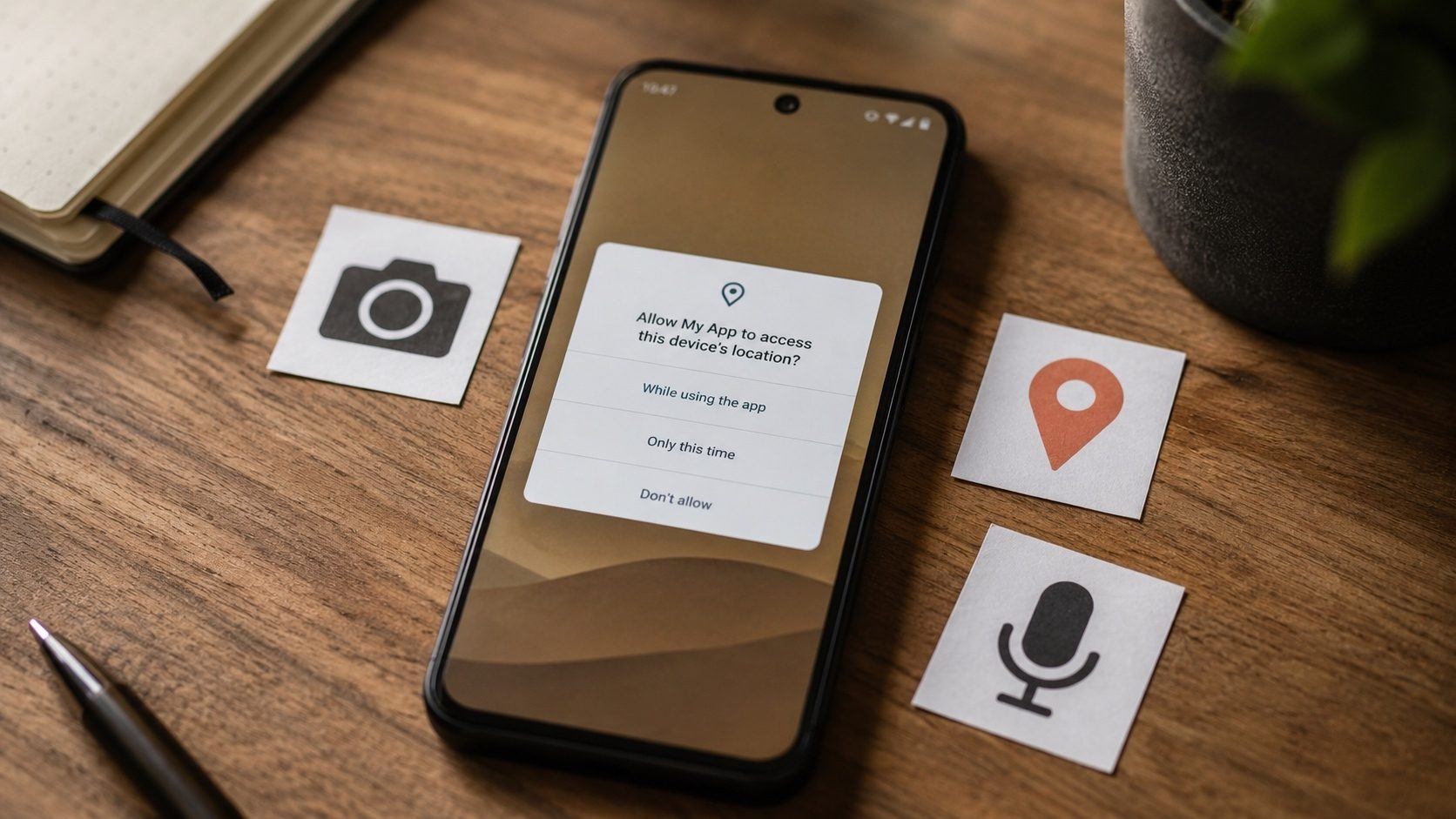
Every Android app asks for permissions to reach parts of your device, but the request screens rarely explain what those permissions really let an app do. The rundown below covers every major Android permission, points out the handful that actually affect your privacy, and gives you a few simple rules for deciding what to allow.
What Are Android Permissions?
Android permissions are a security mechanism that controls what an app can access on your device. When you install or run an app, it may request access to various hardware features (camera, microphone) or data (contacts, location). Understanding these permissions is crucial for maintaining your privacy and security.
Permission Categories
Android divides permissions into two main categories:
Normal Permissions (Automatically Granted)
These permissions don't pose a significant risk to user privacy and are granted automatically:
- INTERNET: Access to the internet, almost all apps need this
- VIBRATE: Control the device's vibration motor
- SET_WALLPAPER: Change the device wallpaper
- WAKE_LOCK: Prevent the device from sleeping
- ACCESS_NETWORK_STATE: Check network connectivity status
- BLUETOOTH: Connect to paired Bluetooth devices
Dangerous Permissions (Require User Approval)
These permissions involve user data or device features that could affect privacy:
| Permission Group | What It Accesses | Risk Level |
|---|---|---|
| Camera | Take photos and record video | ⚠️ High |
| Microphone | Record audio | ⚠️ High |
| Location | GPS and network-based location | ⚠️ High |
| Contacts | Read/write your contact list | ⚠️ High |
| Phone | Make calls, read phone state, call logs | 🔴 Very High |
| SMS | Send, read, and receive SMS messages | 🔴 Very High |
| Storage | Read/write files on your device | ⚠️ Medium-High |
| Calendar | Read/write calendar events | ⚠️ Medium |
| Body Sensors | Heart rate monitor, step counter | ⚠️ Medium |
When to Be Suspicious
You should question a permission request when it doesn't match the app's function:
- 🚩 A flashlight app requesting Contacts or SMS access
- 🚩 A calculator requesting Camera or Microphone access
- 🚩 A wallpaper app requesting Phone or Call Log access
- 🚩 A game requesting SMS permissions
- 🚩 Any app requesting ALL permissions at once
How to Check an APK's Permissions Before Installing
If you're sideloading an APK, you should check its permissions before installing:
- Use our APK Info tool to extract the complete permission list
- Review each permission against the app's stated purpose
- Compare permissions with the official app on Play Store
- If something looks suspicious, don't install it
Special Permissions: The Ones That Don't Show Up at Install Time
Beyond "normal" and "dangerous" permissions, Android has a third tier called special or appops permissions. These are the most powerful capabilities on the platform, powerful enough that the OS forces a separate, deliberate trip into Settings to enable each one. They are also the ones most commonly abused by malware. If a sideloaded app asks for any of these, stop and ask why.
- Accessibility Service (
BIND_ACCESSIBILITY_SERVICE): originally designed for screen readers and physical-disability assistance. An app with this permission can read everything on your screen, see what you type, and even tap buttons on your behalf. Grant only to apps where the function is obviously accessibility-related (TalkBack, password managers' auto-fill flows, screen-reading dictionary apps). - Device Admin / Device Owner: lets an app lock the device, wipe data, change the password, and disable the camera. Almost no consumer app needs this. Enterprise mobile management (MDM) clients are a legitimate exception.
- Draw over other apps (
SYSTEM_ALERT_WINDOW): allows an app to paint over anything else on screen. Used legitimately by chat-head bubbles and overlay translators; abused by tap-jacking malware that hides a "yes, drain my account" button under a fake "claim your prize" overlay. - All Files Access (
MANAGE_EXTERNAL_STORAGE): bypasses the scoped-storage protections on Android 11+ and lets the app see every file on shared storage. Most apps should use the standard photo / document pickers instead. - Notification Listener: lets an app read every notification on the device. A great feature for productivity hub apps; a perfect tool for credential theft when abused (banking apps post one-time codes to the notification stream).
- Install unknown apps: turns the host app into a side-loader. Set this on your browser or file manager only when you actually need to install an APK from outside the Play Store, then turn it back off.
Permission Combinations to Watch For
Individual permissions tell only part of the story. The combinations are often more revealing than any single request:
- Accessibility + Notification Listener + SMS: this is the classic Android banking-trojan trio. The trojan reads on-screen content, intercepts the bank's one-time-password notification, and can also pull the OTP from the SMS itself if the user happens to receive it via text. No legitimate consumer app combines all three.
- Camera + Microphone + ALL_FILES_ACCESS + background location: adware-style surveillance app pretending to be a flashlight, calculator, or wallpaper. Reject and uninstall.
- SYSTEM_ALERT_WINDOW + BIND_DEVICE_ADMIN: ransomware-class behaviour. The app can paint a "your phone is locked, pay X" screen on top of the launcher and prevent the user from disabling it.
- Phone + Contacts + Call Log for an app that is not a dialler, contacts app, or call-recording tool: extreme caution. This combination has no legitimate use outside the very narrow set of apps Google itself ships in those categories.
A Worked Audit Example
Suppose you found a free "torch" APK on a forum and ran it through our APK Info tool before installing. The manifest shows the following requested permissions:
android.permission.CAMERA
android.permission.FLASHLIGHT
android.permission.INTERNET
android.permission.READ_CONTACTS
android.permission.READ_SMS
android.permission.RECEIVE_SMS
android.permission.READ_PHONE_STATE
android.permission.ACCESS_FINE_LOCATION
android.permission.SYSTEM_ALERT_WINDOW
A torch app needs at most the camera permission (to access the LED through the camera
subsystem), the flashlight permission, and possibly the internet permission for ads. Everything
below that line is unjustified. READ_SMS + READ_CONTACTS +
RECEIVE_SMS + location + draw-over-apps is the surveillance and OTP-theft signature
described above. Decision: do not install. Delete the file.
Run the same kind of check on every APK you sideload. Five minutes with a permission auditor saves you from problems that no antivirus app can clean up after the fact.
How Permissions Behave on Different Android Versions
Permission UX has been reshaped almost every year. The same underlying capability can feel very different on Android 9 versus Android 15:
- Android 6 (2015): introduced runtime permissions for the dangerous group. Apps could no longer demand everything at install time; they had to ask when they used the feature.
- Android 10: three-state location permissions (Allow all the time / Allow only while using / Deny). Background location became a separately granted permission.
- Android 11: one-time permissions (grant for a single session) and automatic permission revocation for apps unused for several months.
- Android 13: separate notification permission for newly-installed apps;
granular media permissions (
READ_MEDIA_IMAGES,READ_MEDIA_VIDEO,READ_MEDIA_AUDIO) replacing blanketREAD_EXTERNAL_STORAGE. - Android 14: partial photo / video access, so apps can ask for "only these photos" instead of the entire library.
- Android 15: stricter foreground-service controls; declared service types must match the runtime permissions actually used.
If you are still on an older Android version, you do not get the newer protections. Be even more careful about what you install.
FAQ
If I deny a permission, will the app stop working?
Most apps degrade gracefully: the camera button is greyed out, the location-aware feature is disabled, and the rest still works. A small minority of badly-written apps crash or refuse to start, in which case ask whether you really need an app that demands so much.
Why does an app sometimes ask for a permission again?
Either you previously selected "Only this time" (a one-time grant), or the permission was revoked because you did not use the app for a long stretch and Android auto-revoked it. Both behaviours are intentional protections.
Can I see every permission an APK declares before I install it?
Yes. Drop the APK into our APK Info tool, and it parses the
AndroidManifest.xml in your browser, decodes the binary XML format, and lists every
uses-permission entry the app declared. Compare that list against what you would
expect for the app's category before tapping "Install".
Check APK Permissions
Use our free APK Info tool to see exactly what permissions an APK requests before you install it.
Check APK InfoManaging Permissions on Your Device
How to Review App Permissions
- Go to Settings → Apps
- Select an app
- Tap Permissions
- Review and toggle permissions as needed
How to View All Apps with a Specific Permission
- Go to Settings → Privacy → Permission Manager
- Select a permission category (Camera, Location, etc.)
- See all apps that have access to that permission
- Revoke access from apps that don't need it
Android 13+ Permission Changes
Recent Android versions have made significant improvements to permission handling:
- Granular media permissions: Instead of full storage access, apps must request specific media types (photos, videos, audio)
- Notification permission: Apps must now ask permission to send notifications
- Auto-revoke: Permissions are automatically revoked for apps you haven't used in months
- Approximate location: You can grant approximate instead of precise location
- One-time permissions: Grant Camera/Microphone/Location for one session only
Conclusion
Permissions are where a lot of your privacy is won or lost, so it pays to read them rather than tap through. Question anything that does not fit what the app is for, and run an APK through our APK Info extractor before you sideload it. A well-built app asks for what it needs to function and not much else.