How to Convert XAPK to APK: 7 Methods for Android, PC, Windows, Mac & Linux
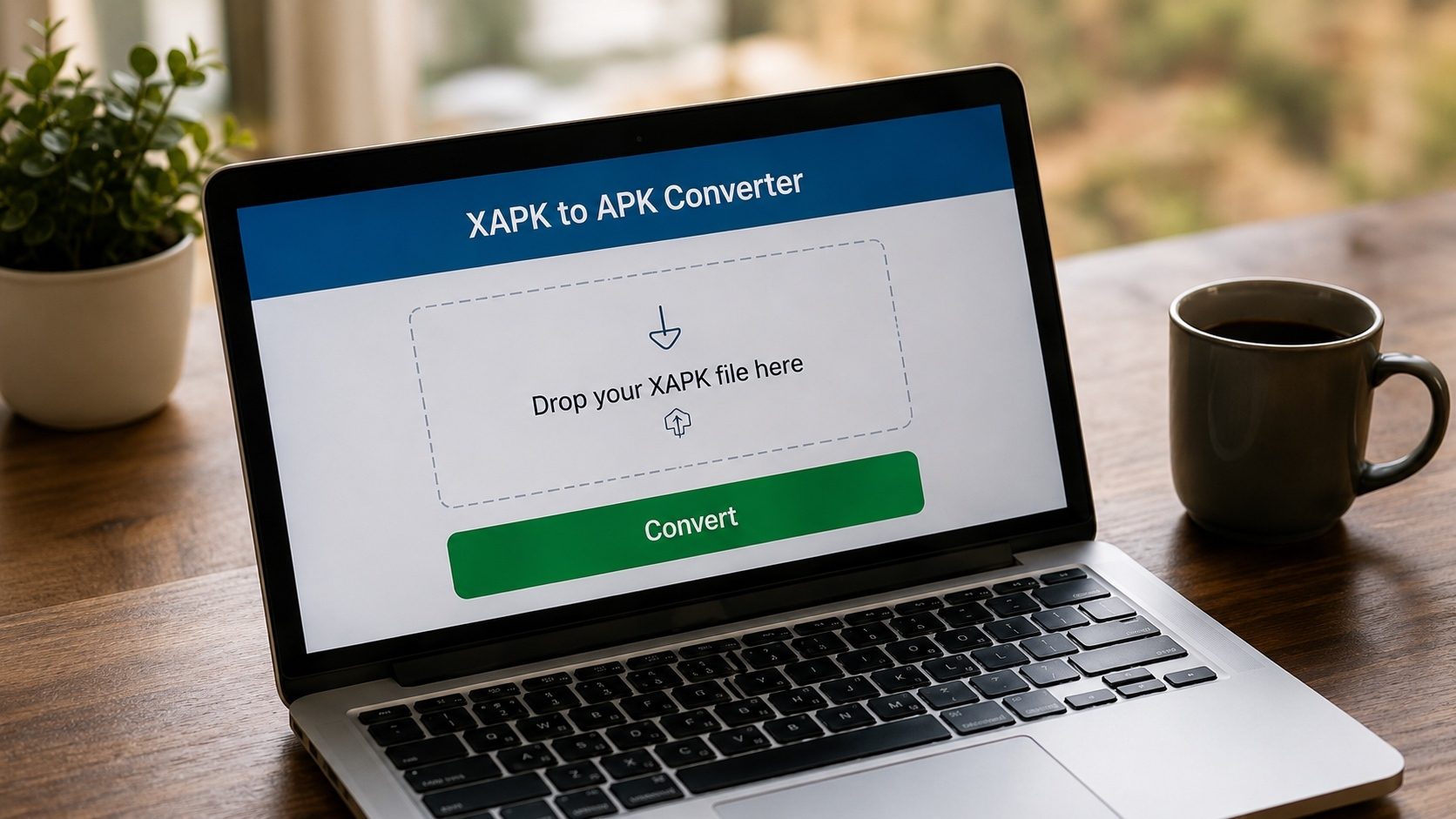
If you've downloaded a game or app as an XAPK file and Android refuses to install it, you're not doing anything wrong. The file simply needs to be converted first. This guide covers 7 free methods to convert XAPK to APK, and they cover every situation we've run into: the browser-based converter when you just want the file fixed in a few seconds, ZArchiver when you'd rather do it by hand on your phone, and the command line on Windows, Mac or Linux when you're comfortable in a terminal. Start with Method 1; if your file is unusual, the later methods explain why.
What is XAPK?
XAPK is an extended Android package format that bundles the standard APK file with additional OBB (expansion) data files. Unlike a regular APK, an XAPK cannot be installed directly. That is the whole reason this page exists: you either convert the XAPK to APK or use a dedicated XAPK installer. Learn more about what is XAPK file and the difference between APK and XAPK.
Method 1: Convert XAPK to APK Online Free (Best Method)
If you just want this done quickly, the simplest way to convert XAPK to APK online is xapktoapk.com. It runs entirely in your browser, so there is nothing to download and nothing to install. You open the page, hand it the file, and get an APK back.
Steps to Convert XAPK to APK Online:
- Open xapktoapk.com in any web browser (Chrome, Firefox, Safari, Edge)
- Drag and drop your XAPK file, or click to browse and select it
- The converter automatically extracts the APK from the XAPK package
- Click Download APK to save the converted file
Because it is just a web page, this method works the same on Android, Windows, Mac and Linux; there is no separate app to install. In our own testing, files up to roughly 500 MB convert smoothly on a typical phone, and larger ones are happier on a desktop browser with more memory. Everything is processed locally on your device, so your file never leaves your computer.
Convert XAPK to APK Now: Free Online
No download needed. Works on any device with a browser. 100% private.
Convert XAPK to APK Online FreeMethod 2: How to Convert XAPK to APK on Android
If you want to know how to convert XAPK to APK on Android or how to convert XAPK to APK on mobile, the easiest way is to use the browser-based converter right on your phone, and there is nothing to install:
- Open Chrome, Firefox, or any mobile browser
- Navigate to xapktoapk.com
- Tap the upload area and select your XAPK file from your Downloads folder
- Wait for automatic conversion, then download the APK
- Open the downloaded APK to install it (enable "Install from Unknown Sources" if prompted)
Method 3: How to Convert XAPK to APK on PC (Windows)
On Windows, the browser converter is still the least-hassle option. Nothing to install, and it behaves the same in Edge, Chrome, or Firefox.
- Open xapktoapk.com in Edge, Chrome, or Firefox.
- Drag and drop your
.xapkfile onto the upload area. - Wait for the page to read the archive and merge the splits.
- Click Download APK when the conversion is complete.
- Transfer the resulting APK to your Android device and install it.
Our Windows guide covers the same steps with a manual ZIP-based fallback.
Method 4: How to Convert XAPK to APK on Mac
The same browser-based converter works on macOS, including both Apple Silicon and Intel Macs:
- Open xapktoapk.com in Safari, Chrome, or Firefox on your Mac.
- Drag the
.xapkfile onto the upload area. - Download the resulting APK and transfer it to your Android device.
For more detail and a manual Archive Utility fallback, see the macOS guide.
Method 5: How to Convert XAPK to APK on Linux
For Linux users, the best method is using the online XAPK to APK converter at xapktoapk.com. It works in any browser (Chrome, Firefox, Chromium) on any Linux distribution (Ubuntu, Fedora, Debian, Arch, etc.).
Alternatively, since XAPK is essentially a ZIP archive, you can manually extract it using the command line:
Linux Terminal Method
unzip -o yourfile.xapk -d extracted_xapk/
cp extracted_xapk/base.apk ./converted.apk
Method 6: How to Convert XAPK to APK Using ZArchiver
A popular method for Android users is using ZArchiver, a free file manager with archive support. Here's how to convert XAPK to APK using ZArchiver:
- Download and install ZArchiver from Google Play Store
- Navigate to the folder containing your XAPK file
- Long-press the XAPK file and select "View" (not "Extract")
- Look for the file named base.apk inside the archive
- Long-press base.apk and select "Extract"
- Choose a destination folder and confirm
- Navigate to the extracted APK and install it
Important Note About OBB Files
If the XAPK contains OBB expansion files (common for large games), the APK alone may not work properly. You'll also need to extract the OBB files and place them in Android/obb/[package_name]/ on your device. Use our OBB Extractor tool for this purpose.
Method 7: Manual Extraction (Without Any Software)
You can also convert XAPK to APK without software by manually renaming and extracting the file:
- Make a copy of your
.xapkfile - Rename the copy from
.xapkto.zip - Extract the ZIP file using your system's built-in archive tool
- Inside the extracted folder, find the base.apk file
- This is your converted APK, ready to install on Android
Note: Can I rename XAPK to APK? No, simply changing the file extension from .xapk to .apk won't work. You need to extract the base.apk from inside the XAPK archive.
Inside an XAPK: What You Are Actually Converting
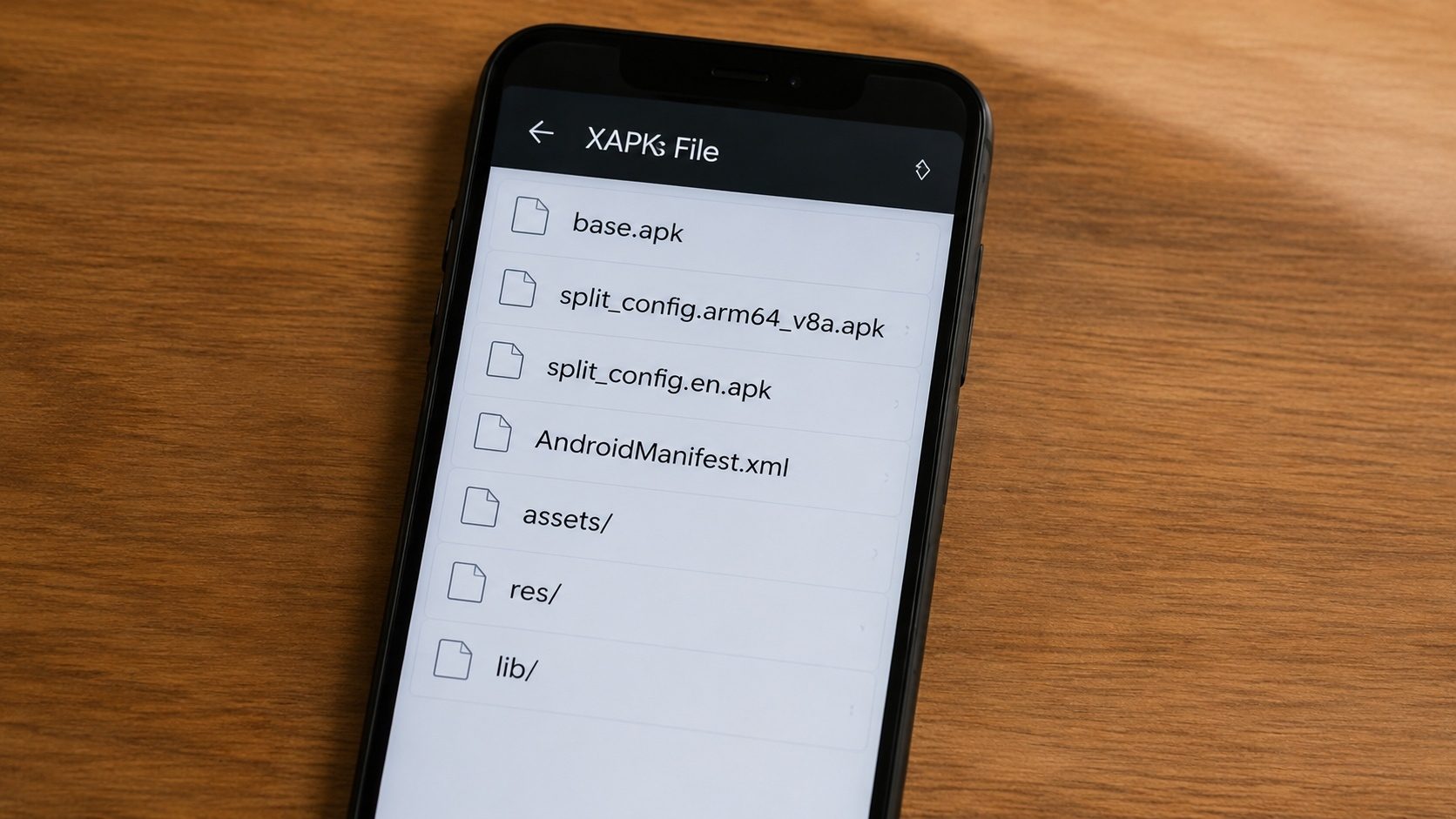
Before walking through error fixes, it helps to know what an XAPK contains. The file is a plain ZIP
archive with a fixed internal layout. Renaming it to .zip and opening it reveals
something close to this structure (sizes vary widely):
example.com.app.xapk
├─ base.apk                        ← the installable APK (always present)
├─ config.arm64_v8a.apk            ← native code for ARM 64-bit devices
├─ config.armeabi_v7a.apk          ← native code for ARM 32-bit devices
├─ config.xxhdpi.apk               ← high-density screen resources
├─ config.xxxhdpi.apk              ← extra-high-density screen resources
├─ config.en.apk                   ← English language pack
├─ config.fr.apk                   ← French language pack
├─ Android/obb/com.example/        ← OBB expansion data
│  └─ main.42.com.example.obb
├─ icon.png
└─ manifest.json                   ← XAPK-format metadata
The manifest.json at the top is what tells installer apps how to put everything
together. It lists the package name, version, target SDK, and the full set of split APKs and OBBs
that make up a complete install. Different XAPK producers use slightly different schemas; the
most common version looks like this:
{
  "xapk_version": 2,
  "package_name": "com.example.app",
  "name": "Example App",
  "locales_name": { "en-US": "Example App" },
  "version_code": "42",
  "version_name": "1.0.42",
  "min_sdk_version": "24",
  "target_sdk_version": "34",
  "permissions": ["android.permission.INTERNET", "..."],
  "total_size": 738197504,
  "expansions": [
    { "file": "Android/obb/com.example.app/main.42.com.example.app.obb",
      "install_location": "EXTERNAL_STORAGE",
      "install_path": "Android/obb/com.example.app/main.42.com.example.app.obb" }
  ],
  "split_apks": [
    { "id": "base", "file": "base.apk" },
    { "id": "config.arm64_v8a", "file": "config.arm64_v8a.apk" },
    { "id": "config.xxhdpi",    "file": "config.xxhdpi.apk" }
  ]
}
"Converting an XAPK to APK" really means: pick the right combination of those split APKs for the
target device, merge them into a single installable file, and (if there is OBB data) hand the
user the OBB separately so it can be placed at /sdcard/Android/obb/<package>/.
How the Conversion Actually Works
Under the hood, every conversion method is doing one of three things, in increasing order of sophistication:
1. Extract-only ("rename and unzip")
The simplest case: the XAPK contains exactly one APK called base.apk and no splits.
All the converter has to do is unpack the ZIP and hand base.apk to the user. This is
what manual rename-to-.zip achieves and why method 7 in this guide works for many
older XAPKs.
2. Split-aware extract
Modern XAPKs ship with multiple config.*.apk splits. Installing only
base.apk on these XAPKs produces an app that launches but crashes the moment it tries
to load native code or localized resources. A correct conversion either:
- Selects the right ABI / DPI / language splits for the target device and installs them
together with
install-multiple, or - Merges all relevant splits into a single "universal" APK so you can install one file.
Our browser-based converter does the merge for you. The Android runtime treats the resulting single APK identically to the original split-installed app, except the package is bigger because it carries every ABI and DPI bucket together.
3. OBB-aware install
If the XAPK includes OBB expansion data, no APK on its own (merged or not) will run
correctly until the OBB is in place. The conversion has two outputs in that case: the merged APK
and a separate OBB file the user must place at the path
/sdcard/Android/obb/<package>/<obb_filename>. Our
OBB Extractor handles this.
Method-by-Method Comparison
Each of the seven methods covered above is a real option, but they don't have the same properties. Here is a quick comparison so you can pick the right one without re-reading the whole article:
| Method | Platform | Splits handled? | OBB handled? | Software install? | Typical time |
|---|---|---|---|---|---|
| 1. xapktoapk.com browser converter | Any device with a browser | Yes (merges splits) | Yes (separate OBB output) | None | 10–60 s |
| 2. Mobile browser of method 1 | Android | Yes | Yes | None | 10–60 s |
| 3. Windows desktop | Windows 10/11 | Yes (via the browser tool) | Yes | None | 10–60 s |
| 4. macOS desktop | Apple Silicon & Intel Macs | Yes | Yes | None | 10–60 s |
5. Linux unzip |
Any Linux | No (extract only) | Yes (manual move) | unzip |
5–30 s |
| 6. ZArchiver on Android | Android | No (extract only) | Manual | ZArchiver | 1–5 min |
| 7. Manual rename + extract | Any OS | No | Manual | None | 1–5 min |
Methods 5, 6, and 7 (extract-only) are perfect for simple XAPKs and bad for split-heavy XAPKs. Methods 1–4 (the browser tool) are the only ones in this list that actually merge splits and produce a single universal APK that installs without a split-aware installer.
OBB Files: What to Do If the Game Won't Run After Conversion
If you converted an XAPK, installed the resulting APK, opened the app, and got a "downloading additional files" screen that immediately fails, or the app launches and crashes; the missing piece is almost certainly the OBB.
OBB ("Opaque Binary Blob") files are companion data files that Android apps load from
/sdcard/Android/obb/<package>/. They are typically used for game asset bundles
(textures, audio, level data) that are too large to fit inside the APK itself. Many large games
distribute the APK and a 1–3 GB OBB together inside an XAPK; converting just the APK
leaves the OBB behind.
How to install the OBB manually
- Use our OBB Extractor on the original XAPK to pull the OBB file (or any of methods 5–7 above to extract it manually from the ZIP).
- The OBB will be named something like
main.42.com.example.app.obb. The numbers represent the version code; the package name is the second part. - On the device, navigate to
/sdcard/Android/obb/. Create the directorycom.example.appif it does not exist (use the package name from the OBB filename). - Copy the
.obbfile into that directory. The full path should look like/sdcard/Android/obb/com.example.app/main.42.com.example.app.obb. - Launch the app. It will pick up the OBB automatically and skip the "additional download" screen.
On Android 11 and later, accessing Android/obb/ from a regular file manager requires
the "All files access" permission. The cleanest workaround is to install via ADB
(adb push main.42.com.example.app.obb /sdcard/Android/obb/com.example.app/), or to
use a file manager that already holds the permission, such as the Files by Google app on
Pixel-series devices.
Common Conversion Errors and How to Fix Them
"No base.apk inside the archive"
Either the file is not really an XAPK (it might be a misnamed APKM or APKS), or the XAPK uses an
unusual layout. Try renaming the file to .zip and inspecting it: the install
payload might be at splits/base-master.apk or
com.example.app.apk instead of the expected base.apk. Our converter
recognises the common variants automatically.
"Conversion completed but the app crashes immediately"
Almost always one of two things: missing native libraries (the XAPK had a separate
config.arm64_v8a.apk that did not get merged) or missing OBB data. Re-run the
conversion using a split-aware method (1–4) and double-check that the OBB was placed
correctly.
"App not installed" after conversion
See our install-failure troubleshooting guide for the full set of causes. The most common one for converted XAPKs is signing-key mismatch with an existing install; if the same app is already on the device, uninstall it first.
"Conversion produces a 0-byte file"
Usually means the original XAPK was truncated (the download died before completion) or the archive's central directory is damaged. Re-download from the original source. If re-download is not possible, see how to recover from a corrupted APK.
"Browser becomes unresponsive on a 2 GB XAPK"
Browser-based ZIP libraries hold the archive in memory while merging splits. On a low-end laptop
with limited RAM, very large XAPKs can exhaust the JavaScript heap. Workarounds: close other
tabs, retry on a desktop with more memory, or use the Linux command-line method
(unzip handles arbitrarily large files because it streams them).
Verifying the Converted APK Before You Install
Whatever method you used, run two quick checks before installing the result:
- Signature integrity. Drop the converted APK into our APK Verifier. It will display the signing certificate fingerprint. Compare that fingerprint against the developer's known fingerprint (often published on the developer's site) or against the existing Play Store install of the same app, if you have it. A mismatch means the file has been altered since the developer signed it.
- Permission audit. Pass the same APK through our
APK Info tool and read the
uses-permissionentries. Ad-injected or trojanised re-uploads of legitimate apps often add SMS, contacts, or accessibility permissions that the original app does not request. See our permissions guide for the full list of what to look for.
Both tools run entirely in your browser; the file never leaves your device. The check takes about ten seconds and catches most "looks legit but is actually trojaned" cases.
When You Actually Need to Convert (and When You Don't)
It is worth knowing when the conversion step is genuinely necessary. You only need to convert XAPK to APK if:
- You want a single-file install on a device that does not have a split-APK installer.
- You want to inspect or audit the APK separately from its companion data.
- You want to copy a single APK to another device, archive it for later, or send it to a colleague for testing.
You do not need to convert if you simply want to install the XAPK on a device that already has a split-APK installer such as the open-source SAI. In that case, opening the XAPK in the installer takes care of split selection and OBB placement automatically, no conversion step required. The conversion approach is most useful precisely when no installer is available, when you want a permanent backup of the merged result, or when you are preparing the file for analysis.
Frequently Asked Questions
Can you convert XAPK to APK?
Yes. There are several ways to do it, and none of them are complicated. If you just want the file working, open xapktoapk.com in any browser and drop the XAPK in; it pulls out the installable APK without you having to install anything. The rest of this page covers the manual routes for when you would rather do it yourself.
Why XAPK not APK?
It usually comes down to size. Big games carry gigabytes of textures and audio that will not fit inside a single APK, so stores bundle the APK together with its OBB data and ship the whole thing as one XAPK. That is why titles like PUBG Mobile, Free Fire, and Call of Duty so often arrive in this format from third-party stores rather than as a plain APK.
Can I rename XAPK to APK?
No. Changing the extension does nothing useful. An XAPK is really a ZIP container with the APK tucked inside alongside its splits and OBB data, so the system still cannot read it as an installer. You have to open the archive and pull the APK out, either with xapktoapk.com or a file manager like ZArchiver.
What is XAPK and how to install?
XAPK is an extended package format that wraps an APK together with its extra data. There are two ways to get it onto a phone: convert it to a normal APK with xapktoapk.com and install that, or hand the XAPK to an installer that understands the format, such as the open-source SAI (Split APKs Installer). Our guide to installing XAPK on Android walks through both.
How to install XAPK without APKPure?
You are not tied to APKPure at all. Convert the file to an APK first with xapktoapk.com and install that the normal way, or extract the APK by hand with ZArchiver if you would rather not use a website. Either route gets you there without APKPure's own installer.
How to download XAPK to APK?
Head to xapktoapk.com, drop in your XAPK, and the page hands back the APK for you to save straight away. There is no sign-up, and because everything runs in the browser it works the same on a phone, a laptop, or anything else with a browser.
Ready to Convert Your XAPK Files?
Use xapktoapk.com, the best free XAPK to APK converter online. Works on Android, PC, Windows, Mac & Linux.
Convert XAPK to APK FreeQuick Decision Guide
Just want one APK fast on any device? Use Method 1: the browser converter at xapktoapk.com. Splits and OBB are handled automatically.
Already have ZArchiver on Android and the XAPK is small/single-APK? Method 6 is fine.
On Linux at the command line? Method 5
(unzip) takes one line. Add OBB placement manually for games.
Game won't run after conversion? The OBB is
missing; copy it to /sdcard/Android/obb/<package>/ and try again.
Always: verify the signing certificate of the result with our APK Verifier before installing files from outside the Play Store.